


How to Run A Virus Scan
If you receive what you believe to be a phishing scam email, please forward it to phishbowl@famu.edu.
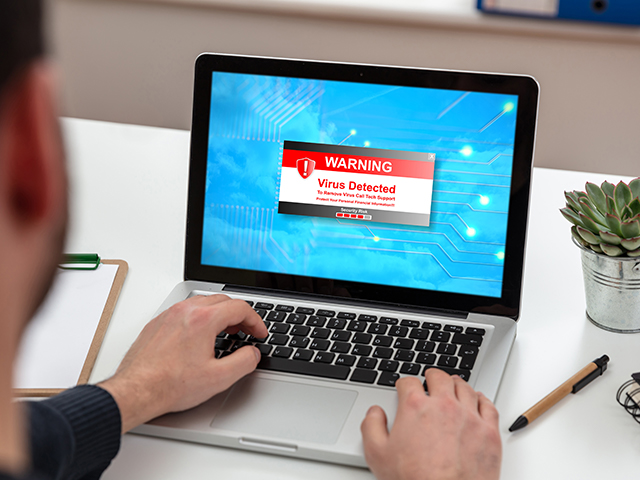
Do you think your device has been compromised by a phishing email scam or a spam, virus or threat? Learn how to run a malware scan right from your computer. No extra programs needed!
Run A Virus Check With Windows Defender (Windows 10)
1. Click the Windows logo in the lower left hand corner of your desktop to open the Start menu ➜ Type "Windows Security" ➜ Click on the "Windows Security" app icon that pops up.
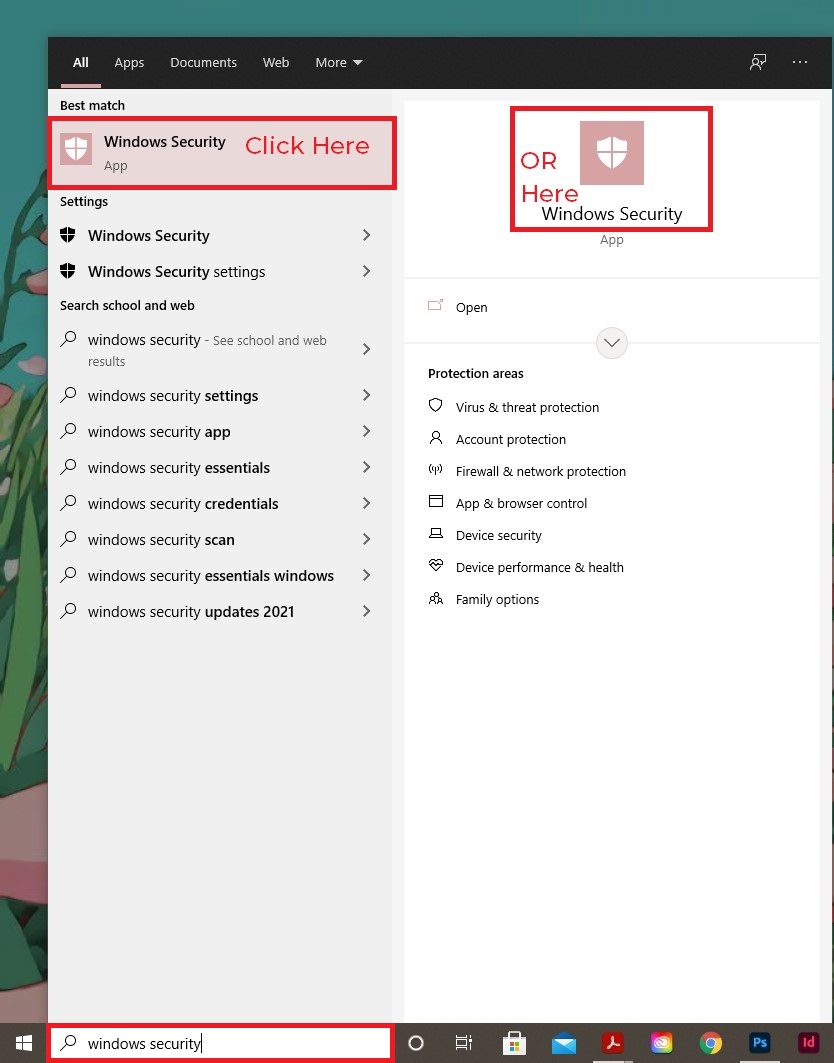
2. When the app loads, click on "Virus & threat protection"
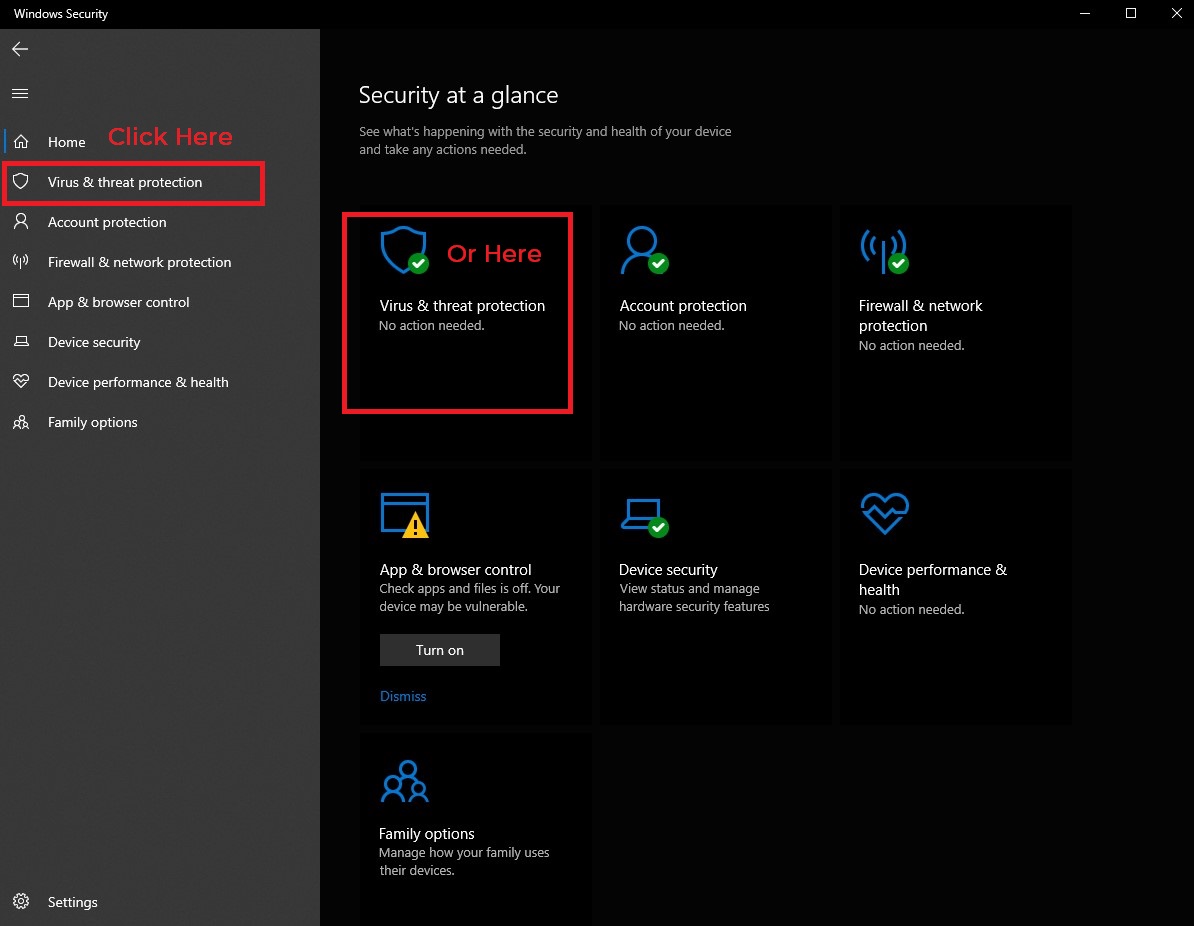
3. Click on "Scan Options"
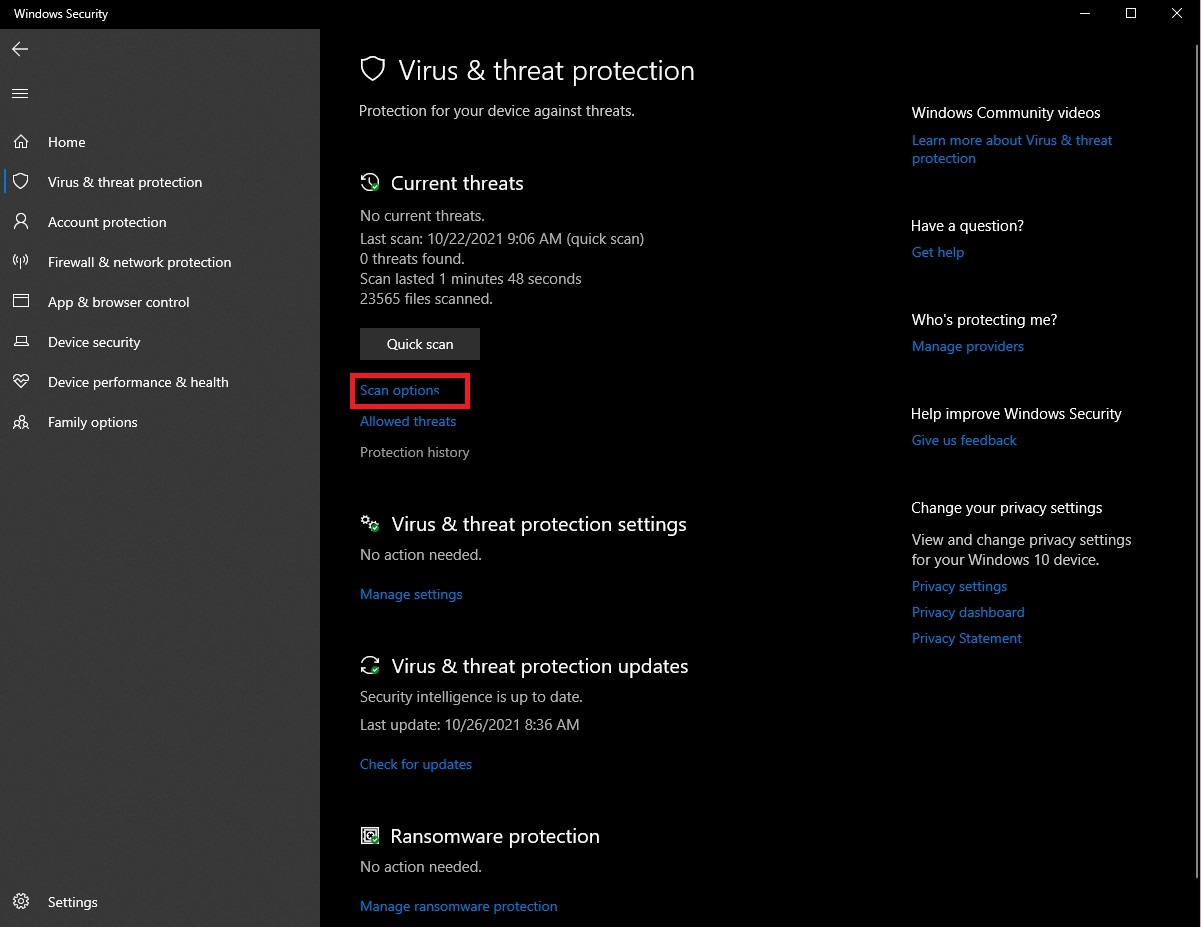
3. Here we have a few options: There are four (4) types of scans you can perform on your computer using Windows Defender. Choose the option that best suits your needs.
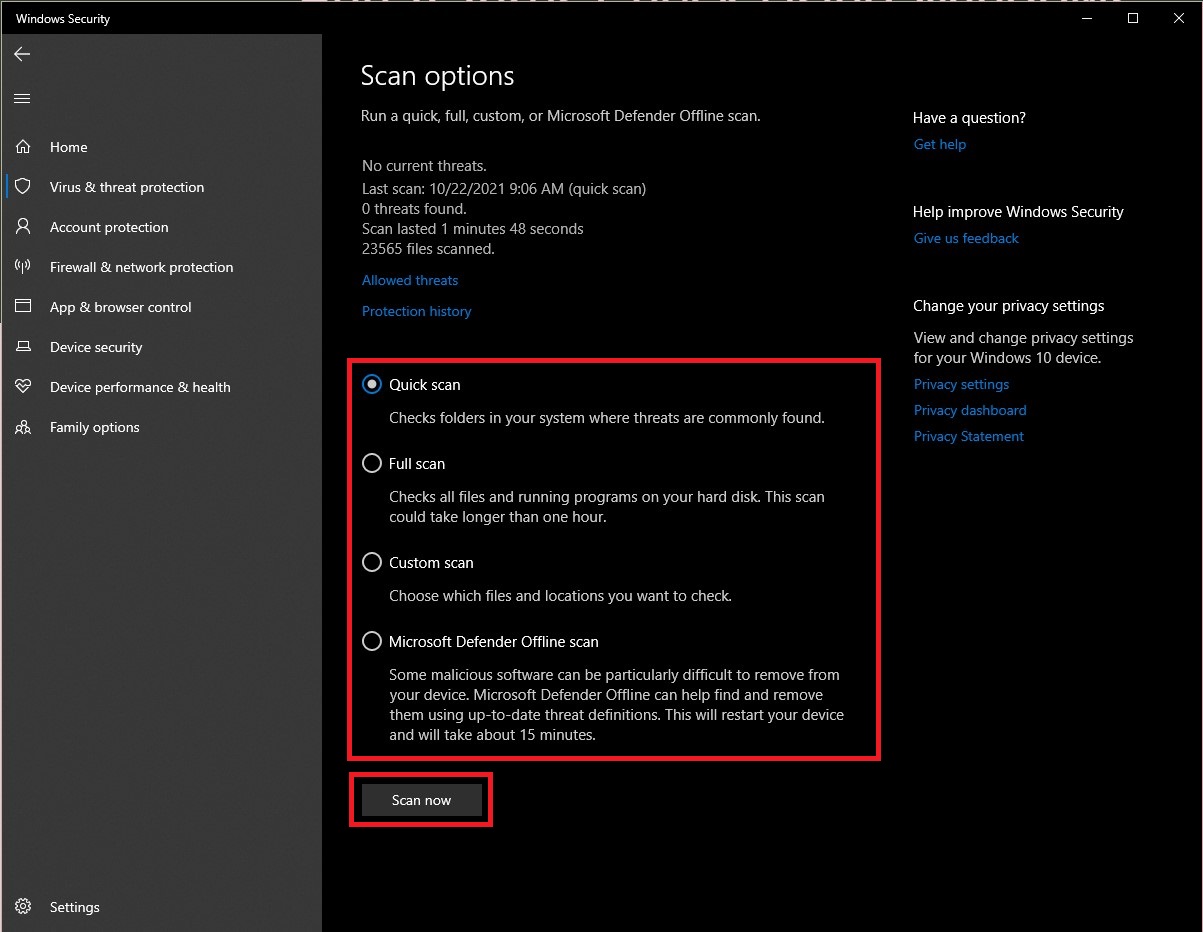
- Quick Scan: This option will scan folders on your computer where threats and malware are commonly found. It should take only a few minutes to complete (depending on the age of your device)
- Full Scan: In this option every file, folder, and program on your computer is scanned. It typically takes longer than an hour to complete depending on the age of your device. If you haven’t scanned recently, you might want to consider doing a full scan as soon as possible (this is even more true if you believe would have been exposed to a phising scam or your device has been compromised by a virus or threat)
- Custom Scan: This option lets you choose a specific file or folder that you’d like to scan.
- Microsoft Defender Offline Scan: This option restarts your computer and scans files, folders, and programs of Windows while they are not running. This is useful because any malware that might be running inside Windows can’t interfere while Windows Defender works.
Select your chosen scan and wait for it to complete. Windows Defender shows a progress bar to let you know what scan is running, how long it is estimated to take, and how many files have been scanned. Do not turn off your device!! You can continue using your device while the scan runs in the background.
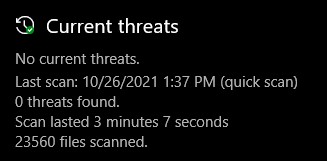
4. Click The "Scan Now" Button. Upon completion of the scan, you will be able to see the results.
-
If everything was okay, you’ll see a message that says “No Current Threats.” If, however, the scan found some malware, you'll see a message that says "Threats Found" and a list of the infected files immediately below.
-
Click "Start Actions" to remove the threats. Windows Defender will remove the threats automatically.
Done!
If you ran this scan in response to your email sending or receiving spam, let the ITS helpdesk know that you successfully ran a virus scan an that you need your email re-enabled. They will take you through the process of getting your email back up and running.
If you receive what you belive to be a phishing scam email, please forward it to phishbowl@famu.edu.